
The quick answer
I have been writing software for about 26 years, and I now lead engineering work where an AI assistant is open on my screen most of the day. So this is not a benchmark roundup — it is what I would actually put in front of a small team today.
For most small teams, Cursor is the best default pick. It is an AI-native editor, not a plugin bolted onto an old one, and that difference shows up in daily speed once the team commits to it.
If you do not want to leave your current editor, GitHub Copilot is the safest, lowest-friction choice. If you want an agent that chews through multi-file changes from the terminal, Claude Code is the one I reach for on bigger tasks.
The shortlist

An AI-native fork of VS Code with strong multi-file editing, an agent mode and a codebase-aware chat. The most complete day-to-day experience if the team adopts it fully.
Open Cursor
Mature autocomplete and chat that lives inside VS Code and JetBrains. The least disruptive way to add AI to a team that already has habits.
Open Copilot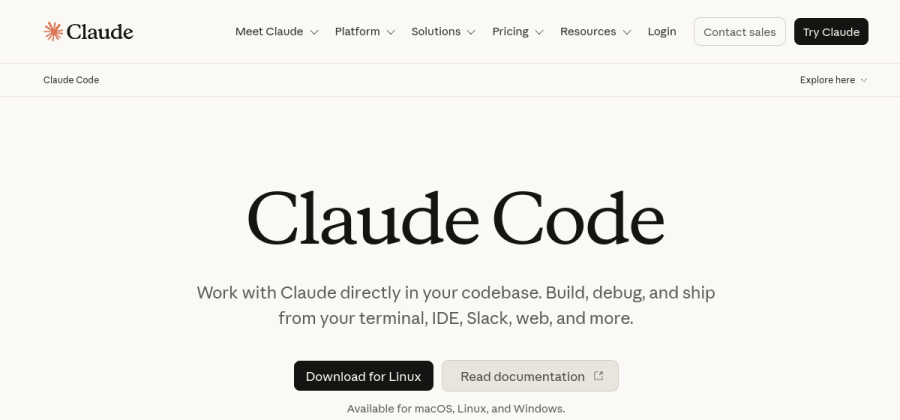
A terminal-based agent that is very good at planning and executing larger, multi-file changes with your explicit approval along the way.
Open Claude Code
An agentic AI editor with a friendlier on-ramp than Cursor. A strong pick for teams that want agent workflows without a steep learning curve.
Open WindsurfA privacy-first assistant with self-hosting and strict data-handling options. The pragmatic choice when your code legally cannot leave your infrastructure.
Open TabnineModel quality, pricing and privacy terms in this category change almost monthly. Confirm the current plan, data-retention policy and model list on the vendor's site before you commit a team to it.
How I actually compare them
Every vendor page in this category says the same three words: faster, smarter, secure. That tells you nothing. When I evaluate one of these tools with a team, I ignore the marketing and answer five concrete questions instead.
- 1Will the team switch editors?Yes → Cursor or Windsurf. No → Copilot inside your current IDE.
- 2Autocomplete or agent?Mostly inline suggestions → Copilot. Whole-task, multi-file work → Cursor agent or Claude Code.
- 3Where can the code go?Sensitive or regulated code → Tabnine or a self-hosted/zero-retention plan. Confirm it in writing.
- 4Who reviews the output?Name the reviewers before rollout. AI raises volume; review is what keeps quality.
- 5What's the real monthly cost?Price it per seat for the whole team for a year, including the higher tier you'll want in month three.
Where Cursor wins
Cursor is my default recommendation because it treats AI as the center of the editor, not a sidebar. Codebase-aware chat, fast multi-file edits and an agent mode that can carry out a scoped task are all first-class.
The trade-off is real, though: it is a new editor, and habits die hard. When I have introduced AI-native tools to a team, the first week is slower before it gets faster. Budget for that dip instead of pretending it does not exist.
Use it when the team is willing to change how they work to get a genuine speed increase — not just a nicer autocomplete.
Where GitHub Copilot wins
Copilot is the choice when you want the smallest possible disruption. It sits inside VS Code and JetBrains, it is mature, and nobody has to learn a new tool. For a team that already ships fine and just wants a helpful copilot, that is often the right, boring answer.
It is less aggressive than an agent-first tool. You get excellent inline suggestions and solid chat, but you drive. For many small teams that is a feature, not a limitation.
Use it when the editor is sacred and you want value on day one with zero migration.
Where Claude Code, Windsurf and Tabnine fit
Claude Code lives in the terminal and shines on larger jobs: a refactor across many files, wiring up a feature end to end, or working through a migration. It plans, shows you the steps and asks before it acts, which is exactly the control you want on non-trivial changes.
Windsurf is the alternative to Cursor when you want agentic editing but a softer learning curve. If Cursor felt like too much for a less technical teammate, Windsurf is worth a trial.
Tabnine is the pragmatic pick when code governance is the constraint. If your work touches client IP or a regulated codebase, its self-hosting and strict data controls matter more than having the flashiest model.
The mistakes I see small teams make
I have mentored enough engineers through this shift to know where it goes wrong, and it is rarely the tool’s fault.
- Merging unread AI code. The model is a fast junior, not a senior. Review everything it writes exactly like you would review a new hire’s pull request.
- Buying on model hype. The “best model” changes every few weeks. Buy on the workflow — editor, agent behavior, review fit — not on this month’s benchmark.
- Ignoring where the code goes. Read the data-retention terms before you paste a private codebase into anything. This is a five-minute check that saves a very bad quarter.
- No team convention. Decide together what AI is allowed to touch, how output gets reviewed, and where to be skeptical. Tools without conventions create mess at speed.
FAQ
What is the single best AI coding assistant for a small team?
For most teams, Cursor. It gives the biggest daily speed gain if the team commits to it. If switching editors is a non-starter, GitHub Copilot is the best low-friction pick.
Is it safe to use an AI assistant on private or client code?
Only after you read the data-handling terms. Prefer a zero-retention plan or a self-hosted option like Tabnine when the code is sensitive, and put the agreement in writing before onboarding the team.
Do these tools replace code review?
No. In my experience they increase the amount of code produced, which makes review more important, not less. Keep human review mandatory and treat AI output as a draft.
How should I choose without wasting weeks?
Run the software decision checklist, trial two options for two weeks on real work, and compare them the same way you would pick any other tool for a small team.
The shortlist at a glance
| Tool | Best for | Verdict |
|---|---|---|
| Cursor | Small teams that want an AI-native editor and will actually change how they work. | Top pick |
| GitHub Copilot | Teams already living in VS Code or JetBrains that want low-friction autocomplete and chat. | Alternate pick |
| Claude Code | Engineers who want an agent in the terminal for larger, multi-file changes. | Alternate pick |
| Windsurf | Teams that want an agentic editor with a gentler learning curve than Cursor. | Alternate pick |
| Tabnine | Teams with privacy, self-hosting or IP constraints on where code can go. | Alternate pick |